Help Center
How to get set up and started in the Secured Collective Community
Make the most of your membership — set up your profile and make your first post in The Secured Collective community.
Step 1: Access the community
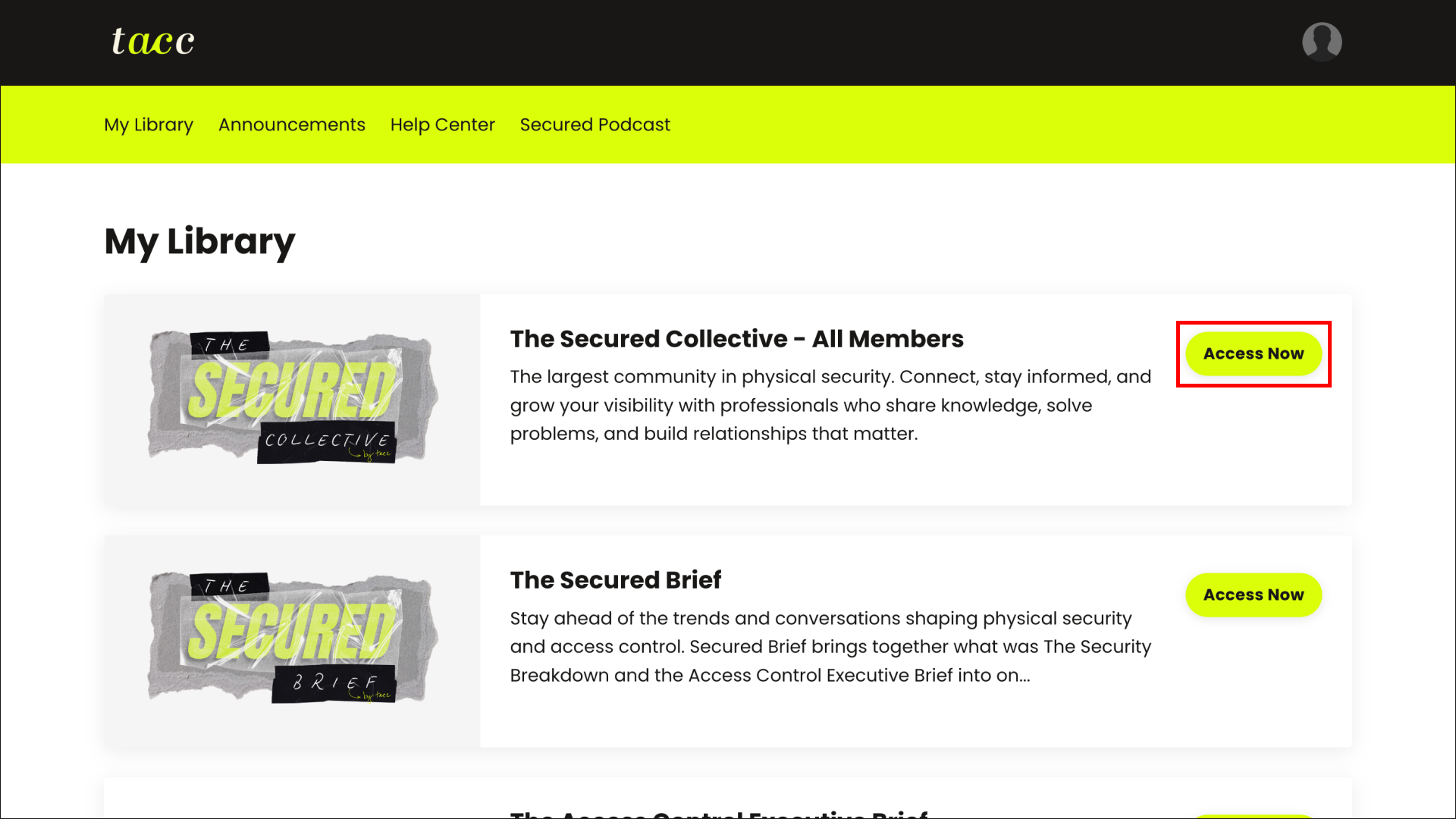
Navigate to your library and click Access Now on The Secured Collective. This takes you straight to the community home.
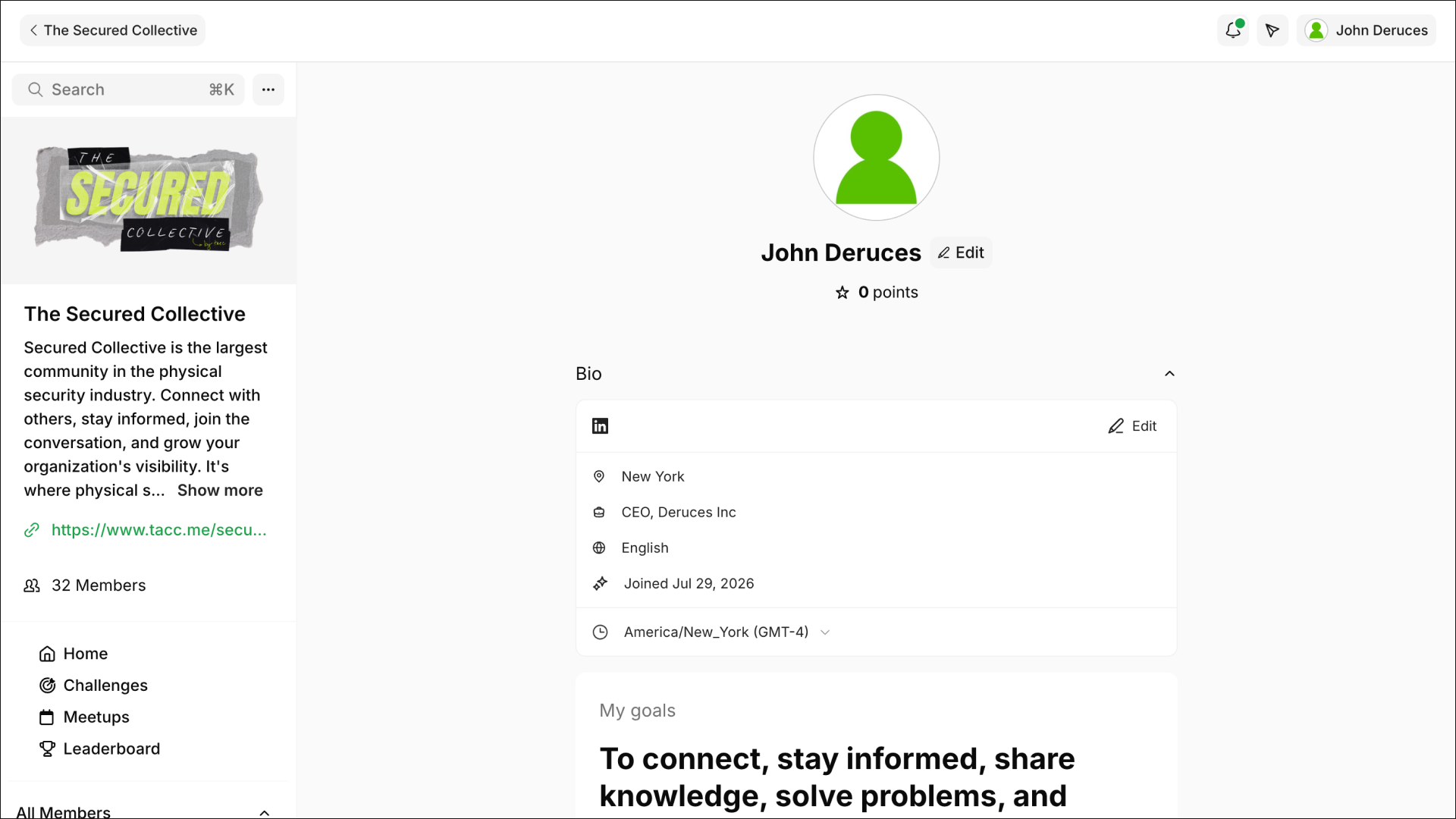
Step 2: Set up your profile
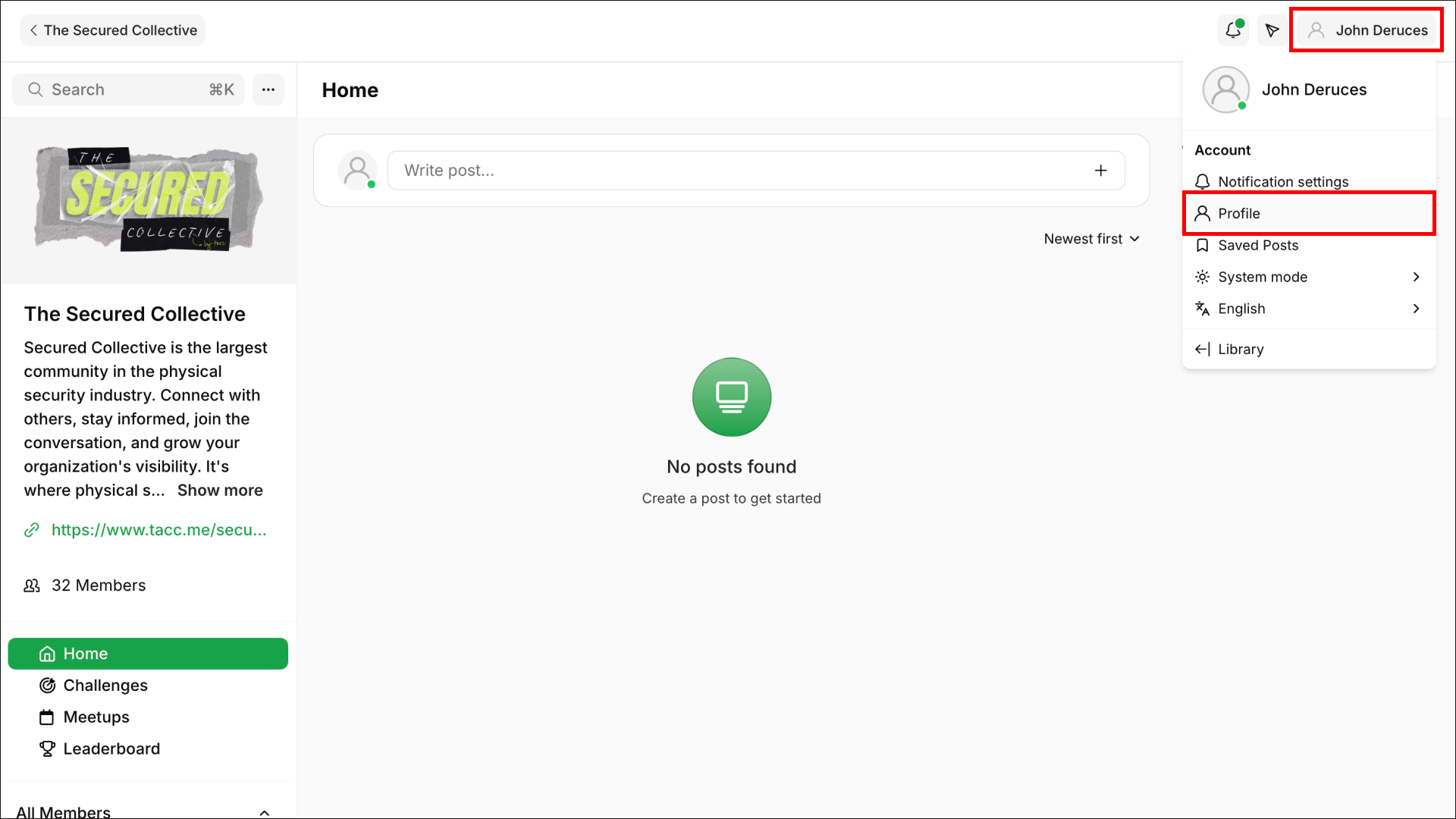
- Click your name in the top right corner, then select Profile from the dropdown.
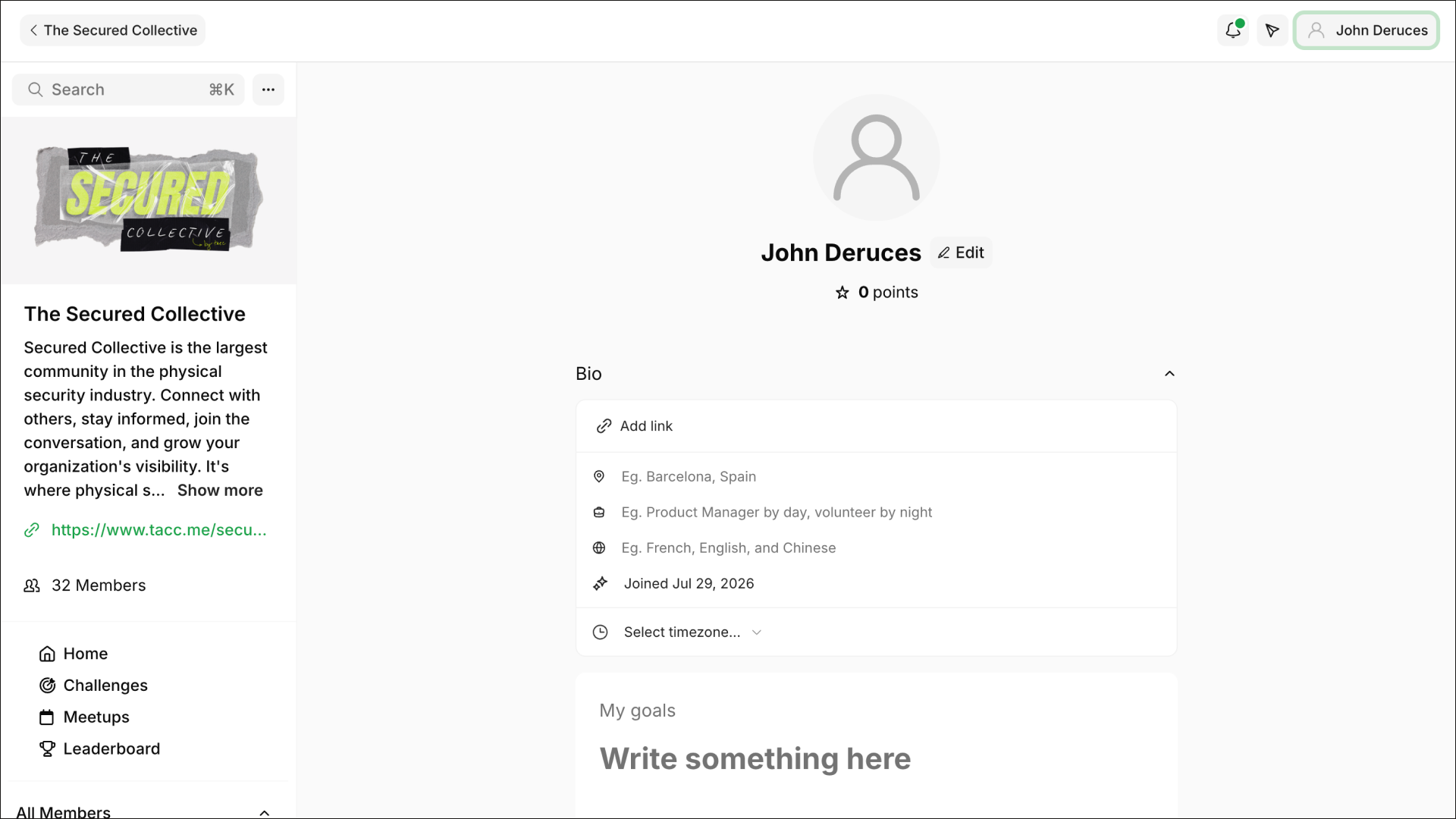
- Tap the user icon to add a profile photo from your device.
- Click Add Link to connect your social profiles, so other members can find you.
- Fill in the rest of your bio — the more you share, the easier it is to build meaningful connections.
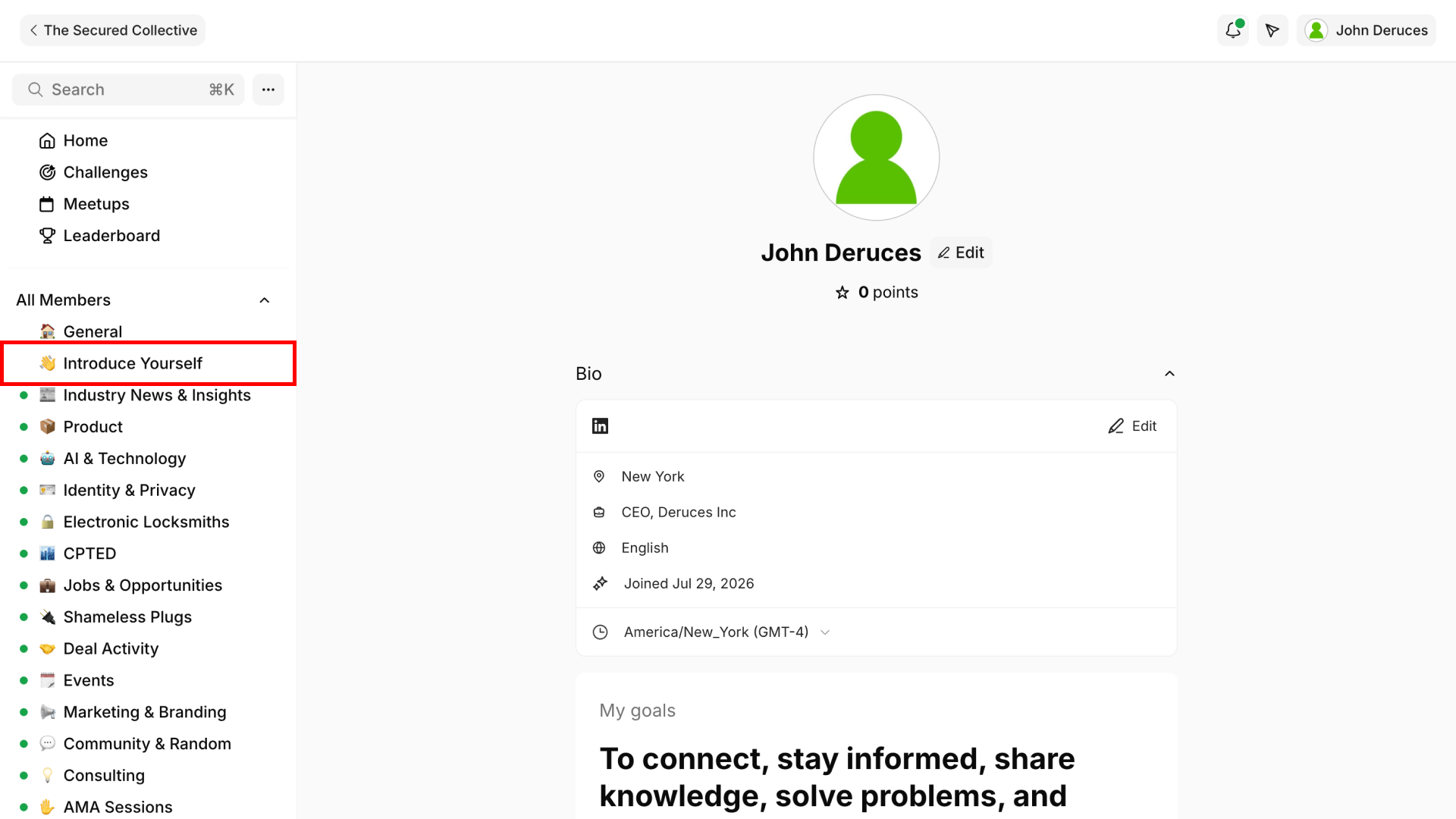
Step 3: Introduce yourself
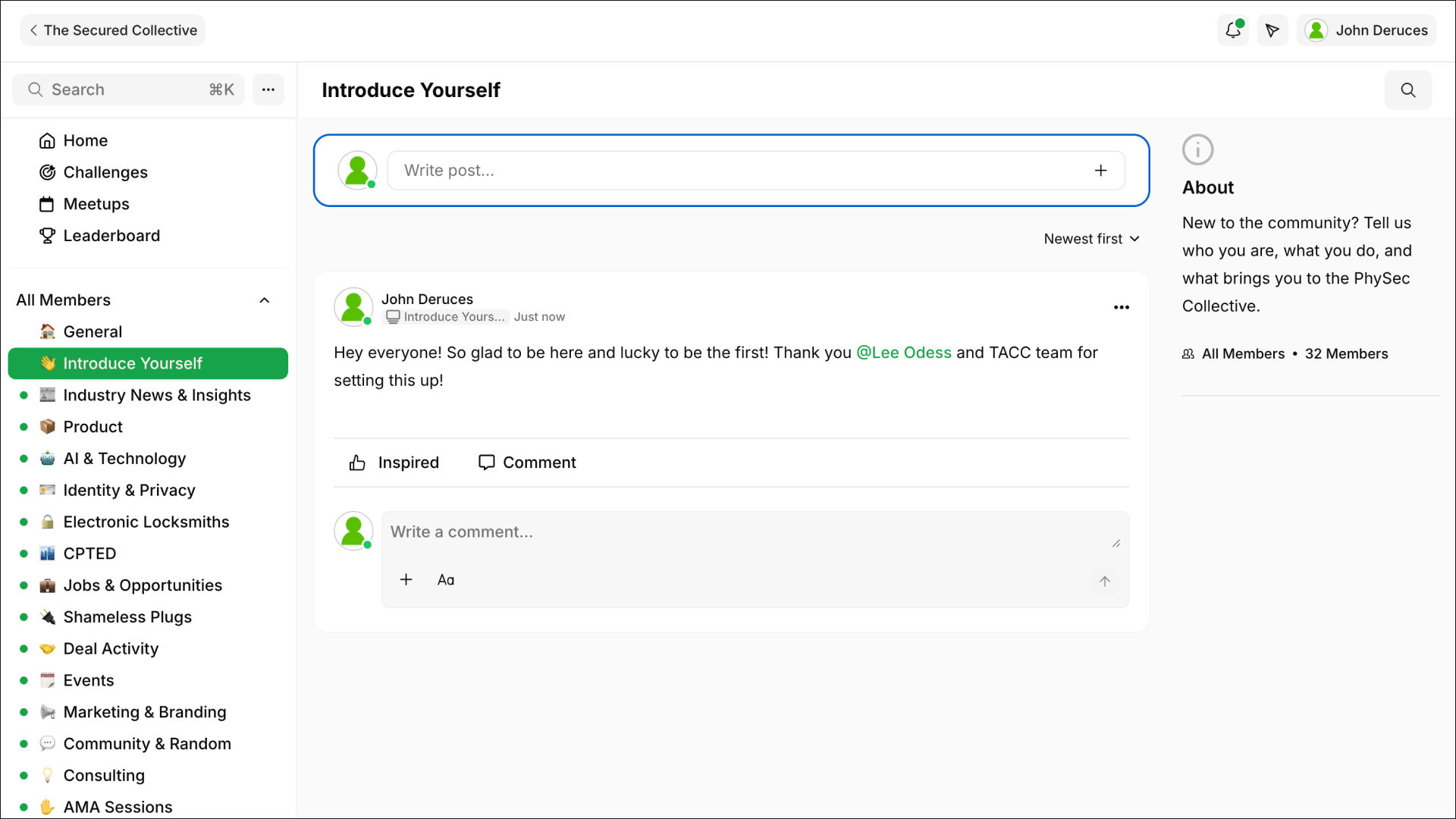
Scroll down the side menu to find the Introduce Yourself channel. As it's your first time here, let people know you've joined.
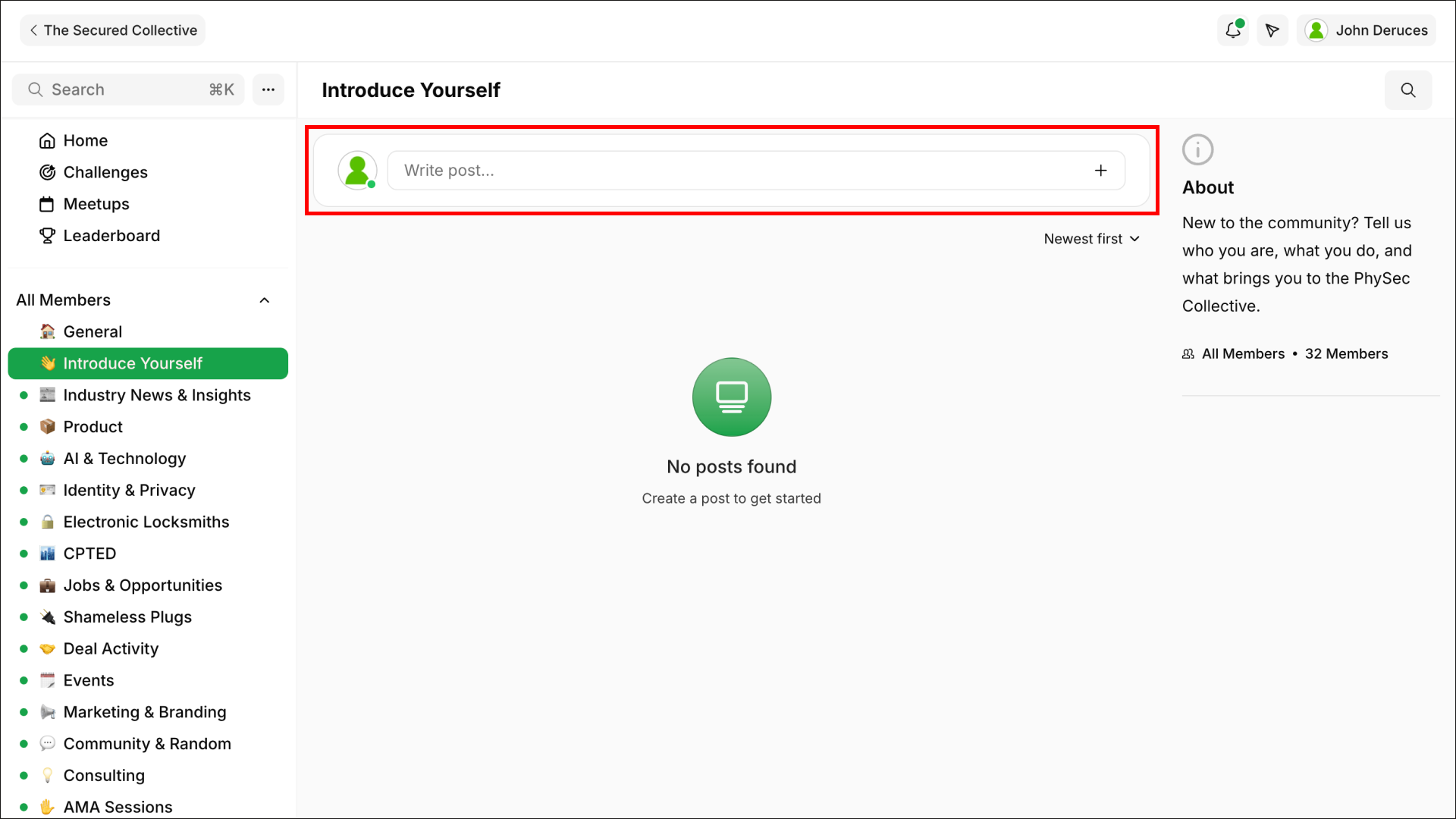
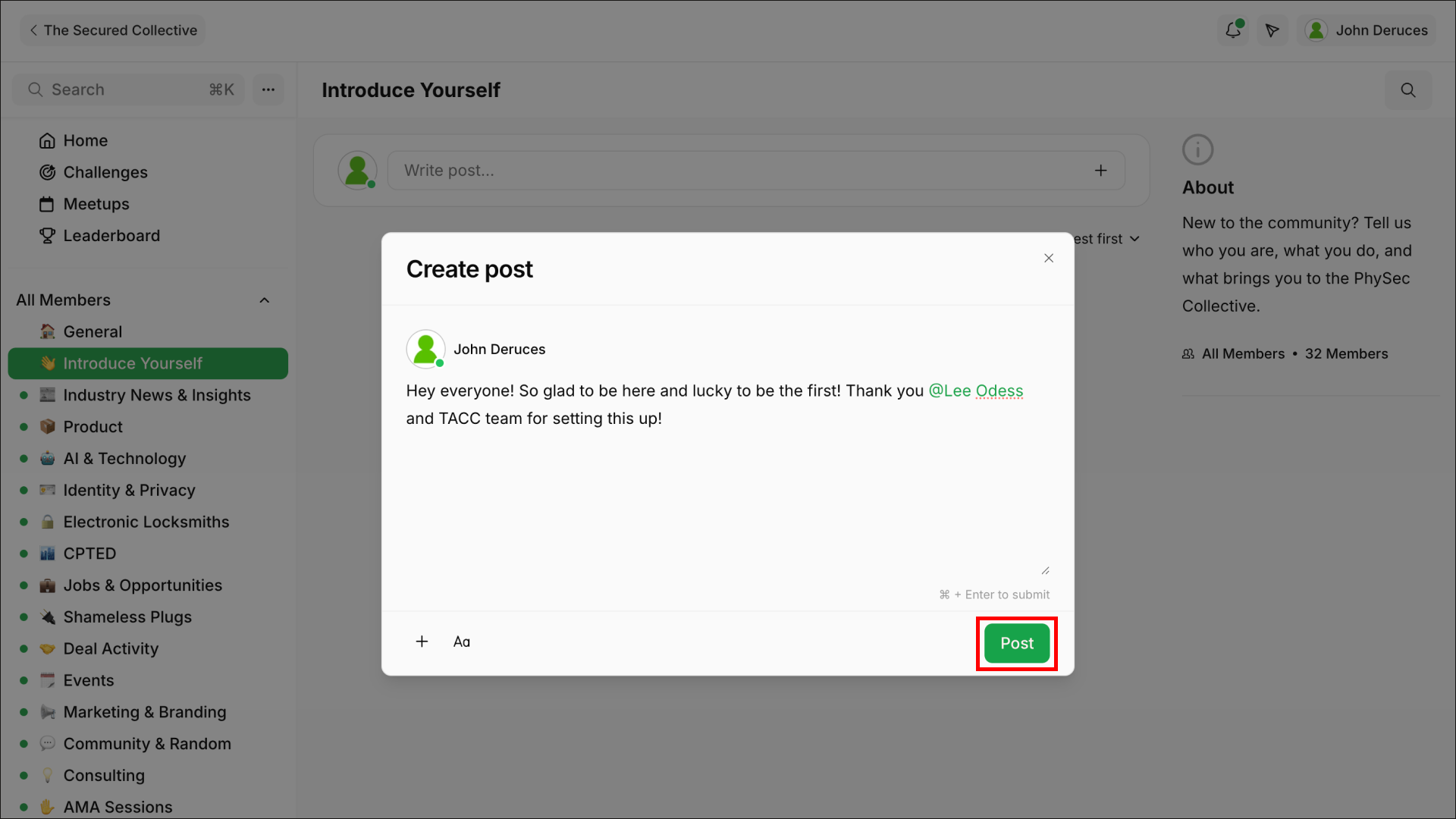
Step 4: Write your post
Tap Write Post at the top of the feed, type your message, and click Post. That's your first post live for the community to see.
Step 5: You're in
From here, explore the other channels, join the conversation, and start building connections. We're glad you're here.